Watch it once. Then click through it yourself.
A short walkthrough of both halves of Lynki, then two demos you drive: the engagement side, then the content side. Real interface, sample data, nothing connected to an account.
01Watch
One pass through both halves.
The network side and the content side, in the order most people use them. It runs silently and steps through real captures, so you can stop on whichever screen you came to see.
Chapter 01 · 0:00
Smart ListsThe list you already keep — read only when you ask for it.02Demo 01 · Engage
From a list to a conversation.
Four steps through the engagement side: organize the contacts you already have, scan one list for the last five days, comment inside the frame you choose, then answer what came back. The same four steps as the walkthrough on the homepage.
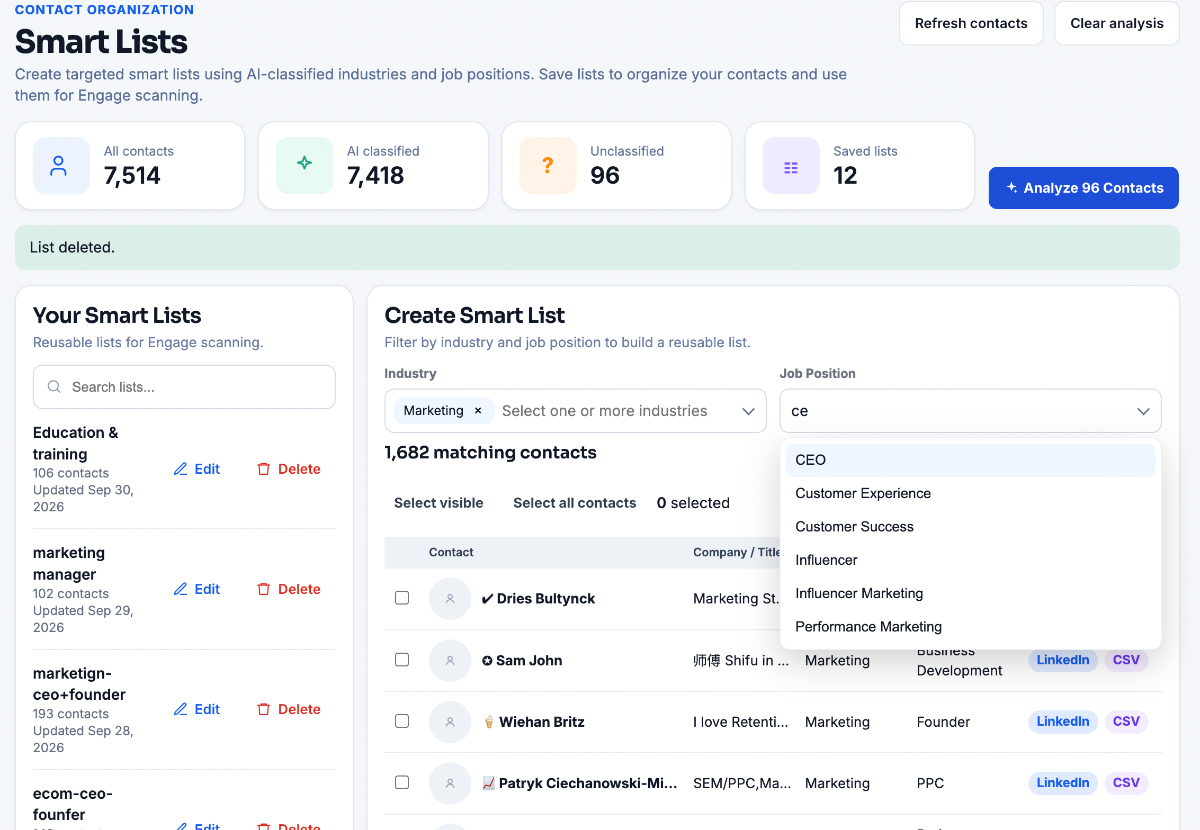
Your network: Contacts 7,514 · Classified 7,418 · Unclassified 96
Step 01Contacts · Smart Lists
Start with the contacts you already have
Import your network and every contact gets classified by industry and job position. The segments you actually care about become Smart Lists — ecom-ceo+founder, marketing manager, biz dev's — and nothing else is ever read.
- 7,514 contacts, 7,418 classified automatically
- Filter by industry and job position, then save it
- 96 stay unclassified until you review them
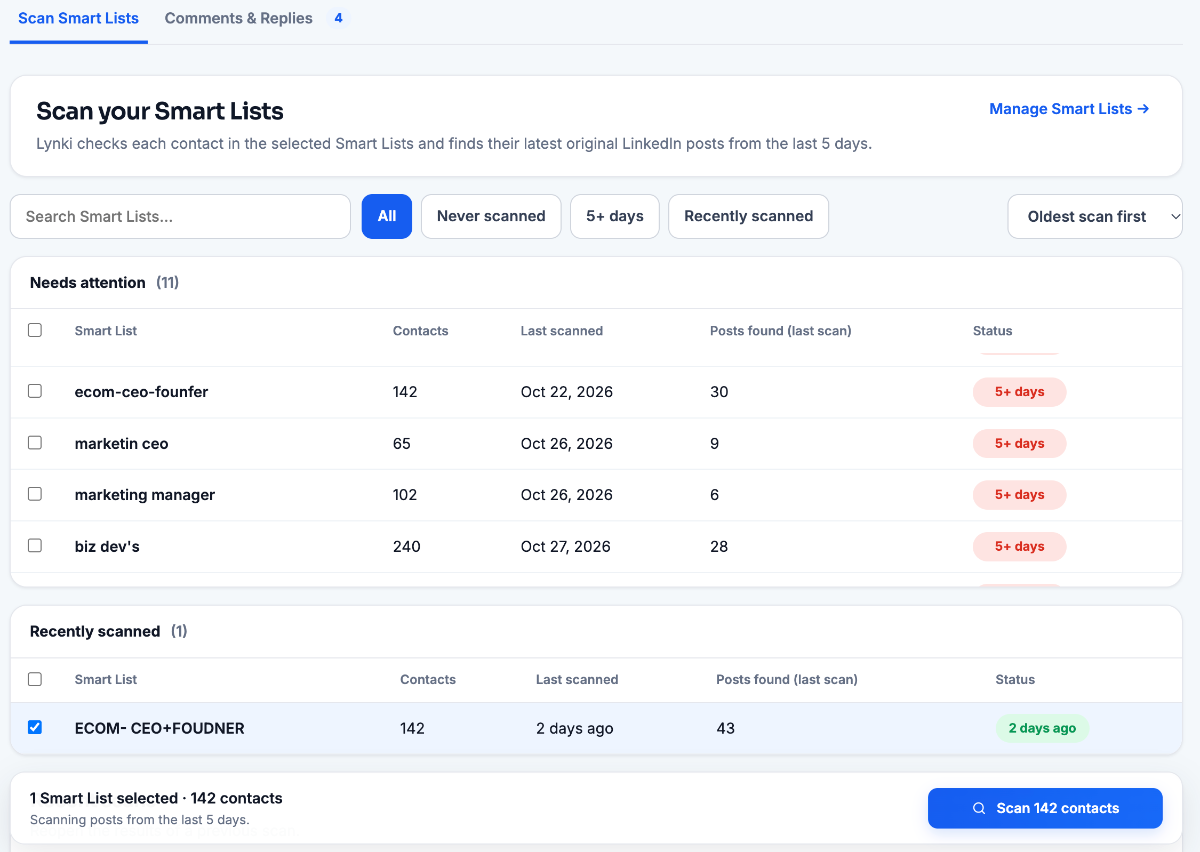
This scan: ecom-marketing · 142 contacts · posts from the last 5 days only. Threads you already commented on are skipped.
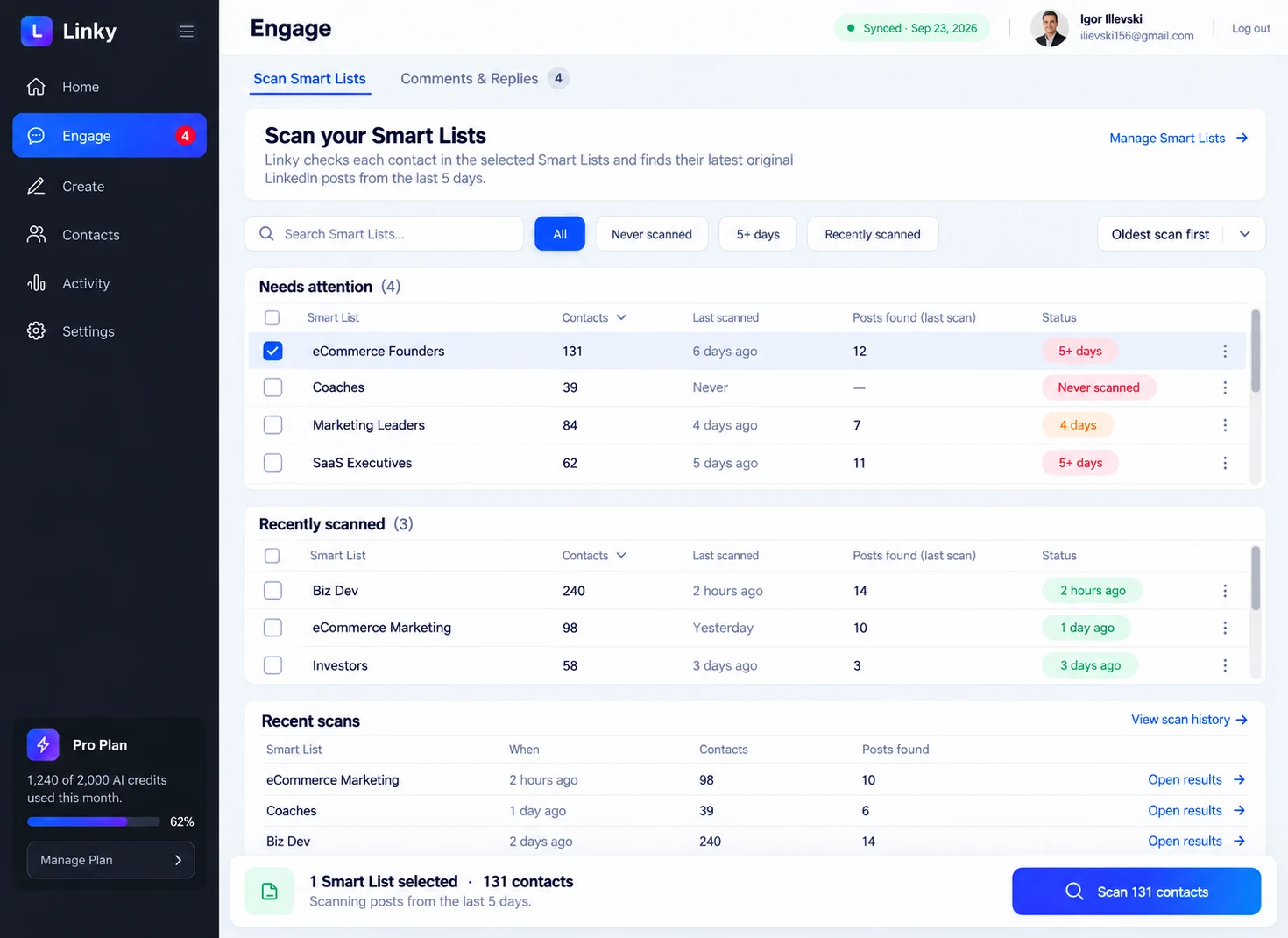
Step 02Engage · Scan Smart Lists
Scan one list, not your whole feed
Pick a list and Lynki reads each contact's most recent original post from the last five days. The table keeps the scan honest: contact count, when it was last read, how many posts came back, and a flag when a list has gone quiet.
- Only the selected list is read — 142 contacts here
- Five days of activity, one post per contact
- 11 lists flagged stale, each a click to rescan
Step 03Engage · Comments & Replies
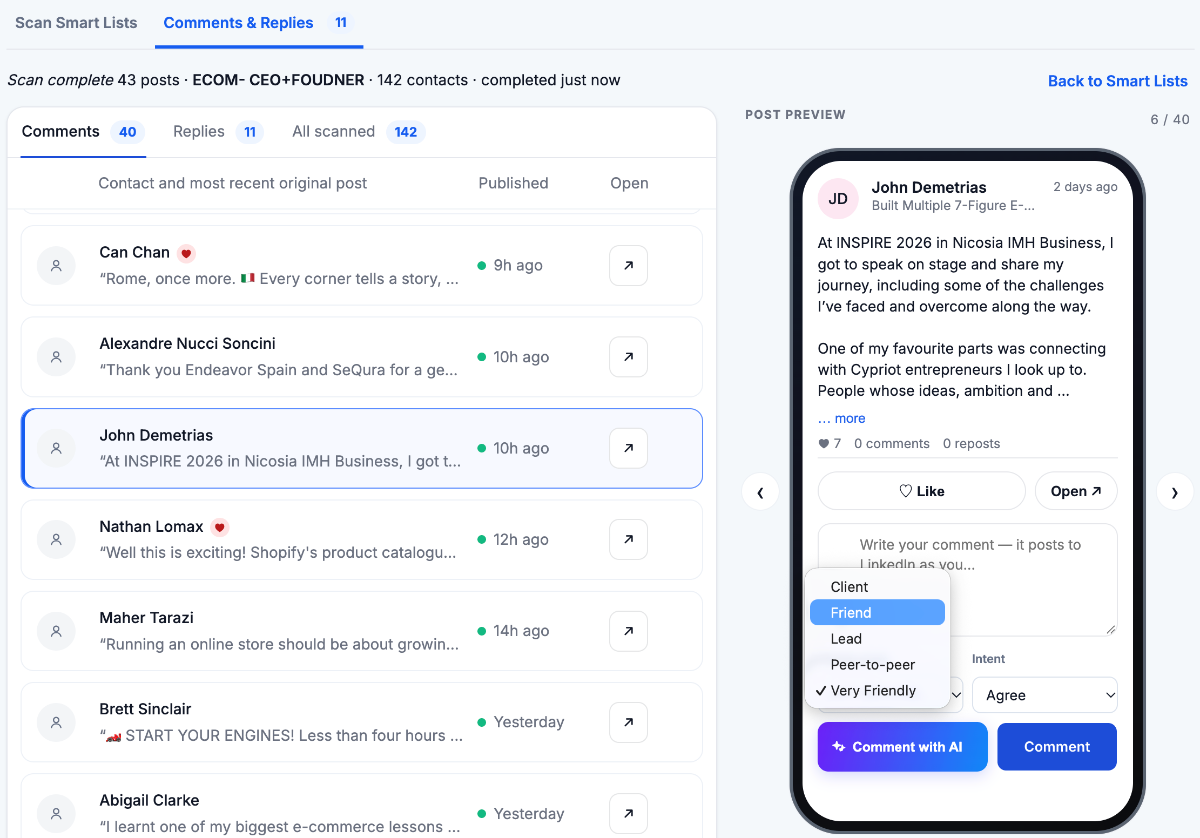
The frame shapes the comment
Open a post and it sits beside the composer. You set who you're speaking to and what you're trying to do before a line is written — peer-to-peer with a point of view reads nothing like a first note to a lead, and the draft rewrites itself.
- Relationship: peer, client, lead, friend
- Intent: perspective, support, question
- Nothing publishes until you press Comment
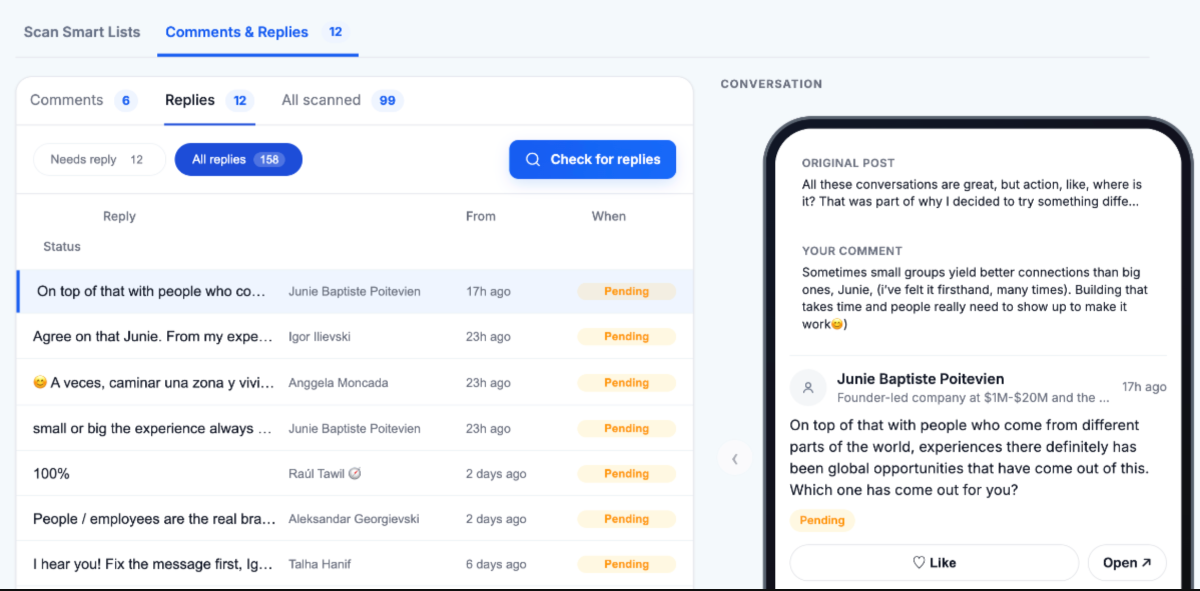
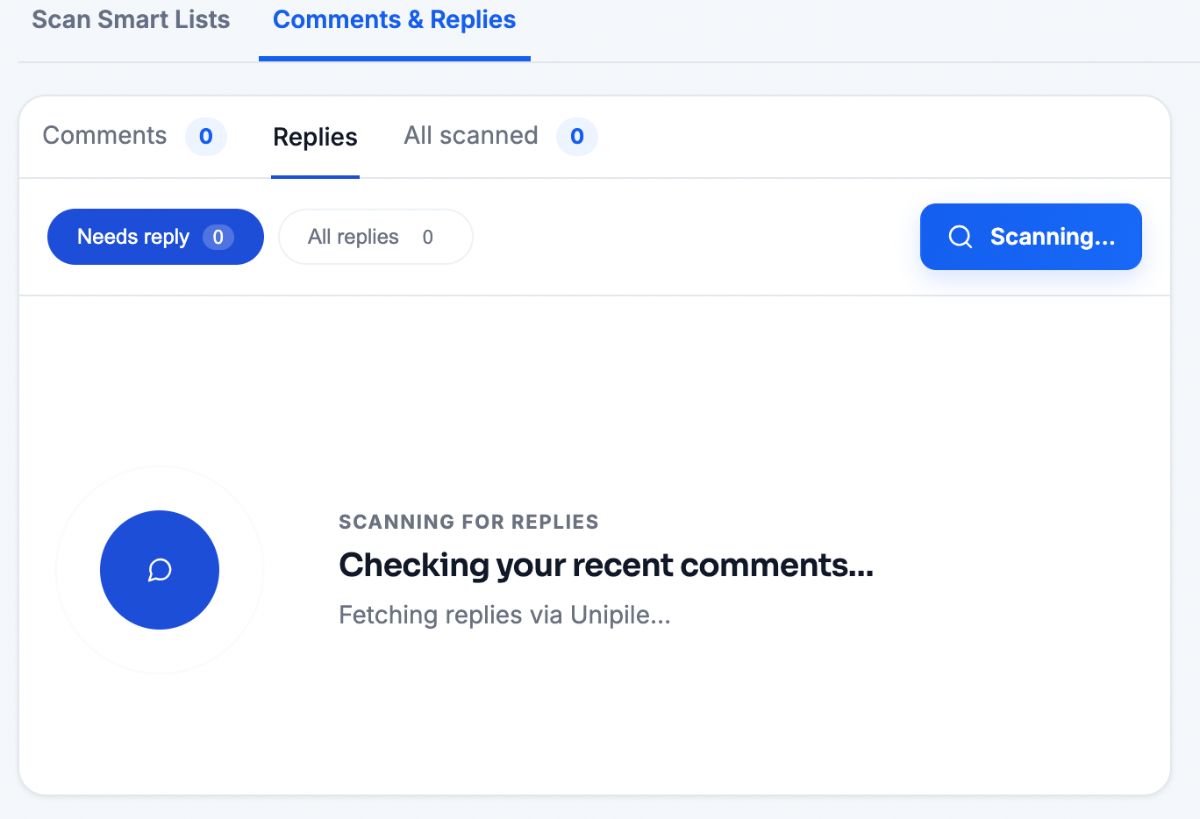
After the scan: Replies found 158 · Needs reply 12 · Pending 3
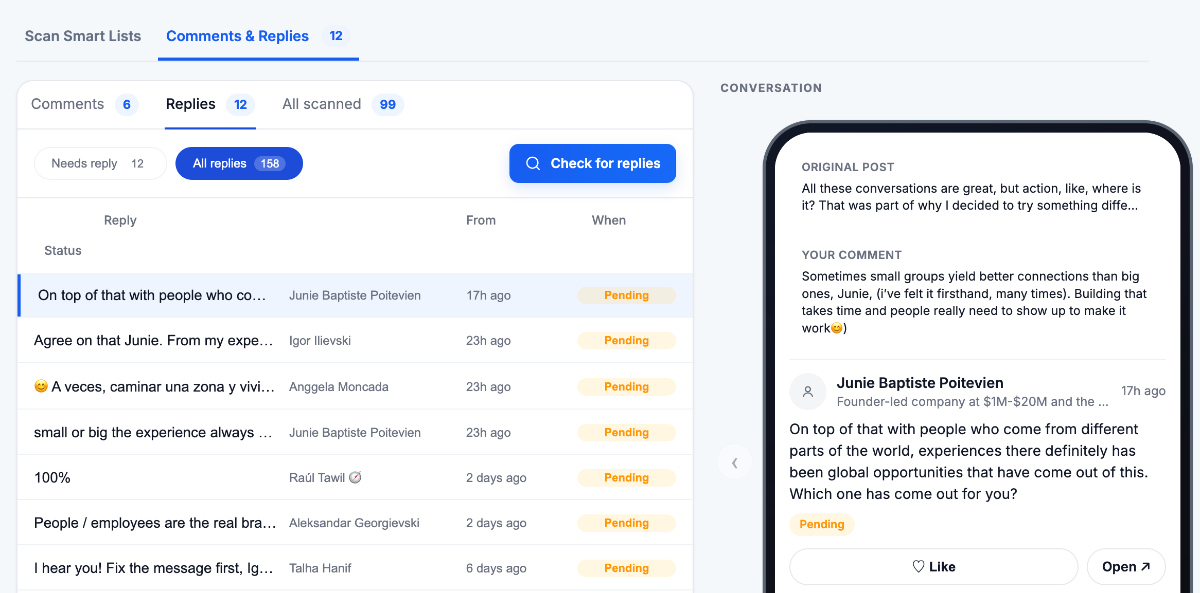
Step 04Engage · Replies
Then answer what came back
Check for replies scans the comments you left and pulls in everyone who answered. Anything waiting on you stays marked Needs reply, the whole thread opens with their reply and your comment, and the next line is offered right there.
- Your comment, their reply and the post in one thread
- Pending until you answer it yourself
- The follow-up is written from the thread, not from scratch
The same four steps as the homepage walkthrough. Nothing here is connected to an account.
03Demo 02 · Create
From what you know to something published.
The same four moves as the Create page — idea, write, visual, publish — with the same captures and the same explanation under each one. Step through them in order, or jump to the one you came for.
01Create · Ideas
Never start from a blank page.
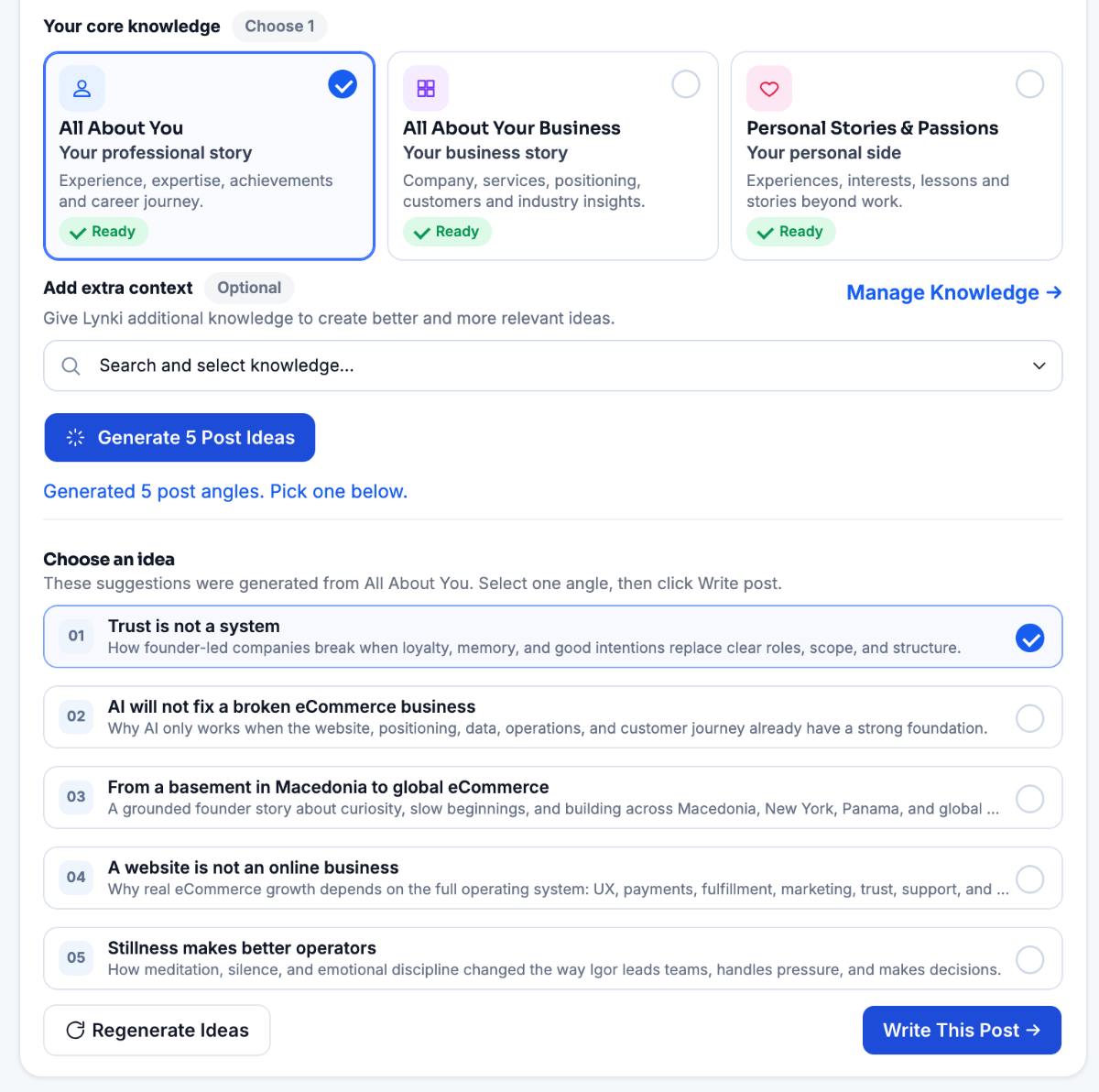
Ideas are generated from your own knowledge — your background, your business, your stories and anything you add yourself. Not a generic prompt library, and not someone else's post rewritten.
- Your knowledge
- Generate ideas
- Pick an angle
- Pick what it writes fromAll About You, your business, or your personal stories — each one marked Ready once it is filled in.
- Five angles in one goGenerate a batch of angles, then keep the one that sounds most like you instead of settling for the first.
- Context stays optionalAdd a framework or a note only when the post needs it. Everything else comes from what you already added.
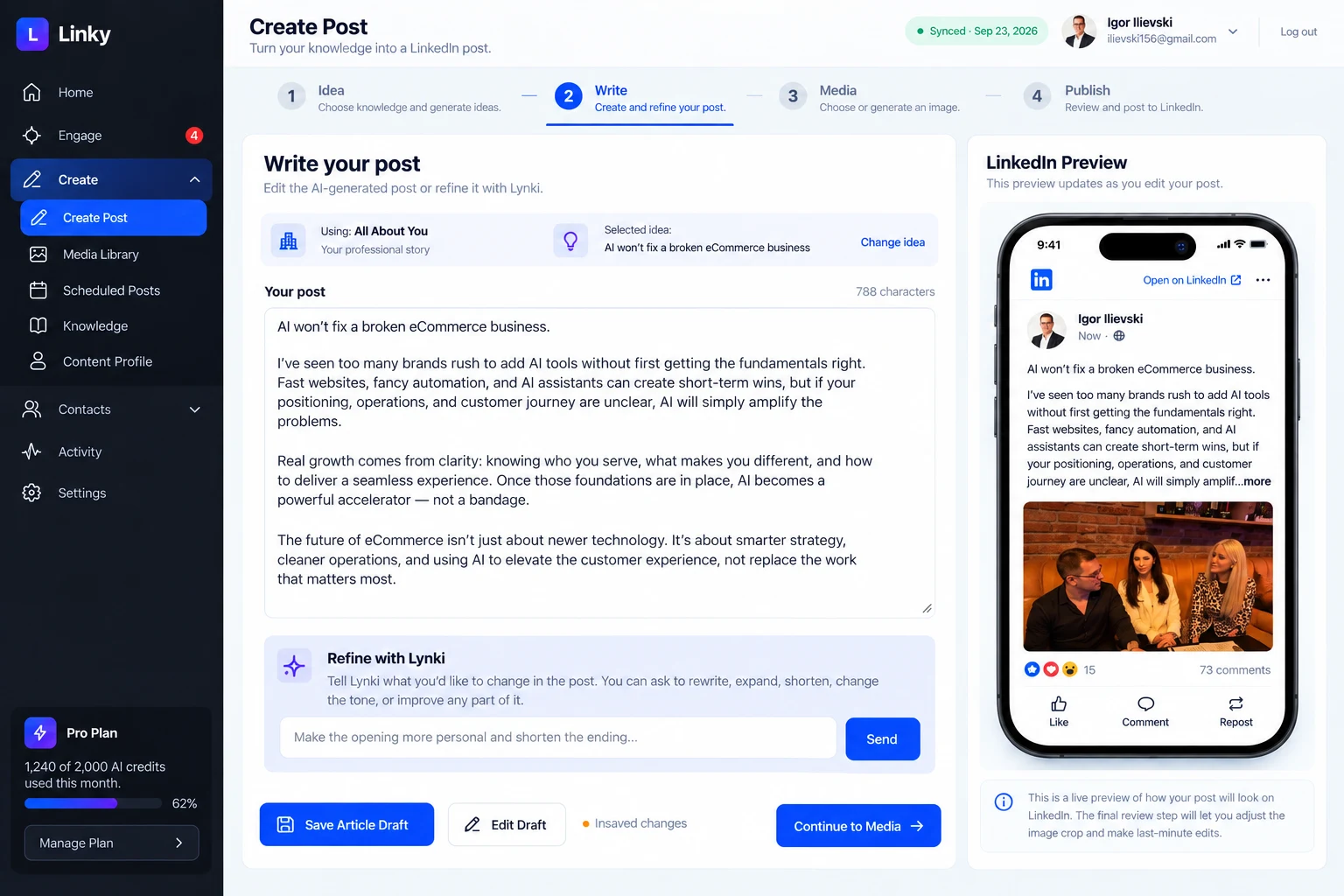
02Create · Draft
Turn an idea into a credible post.
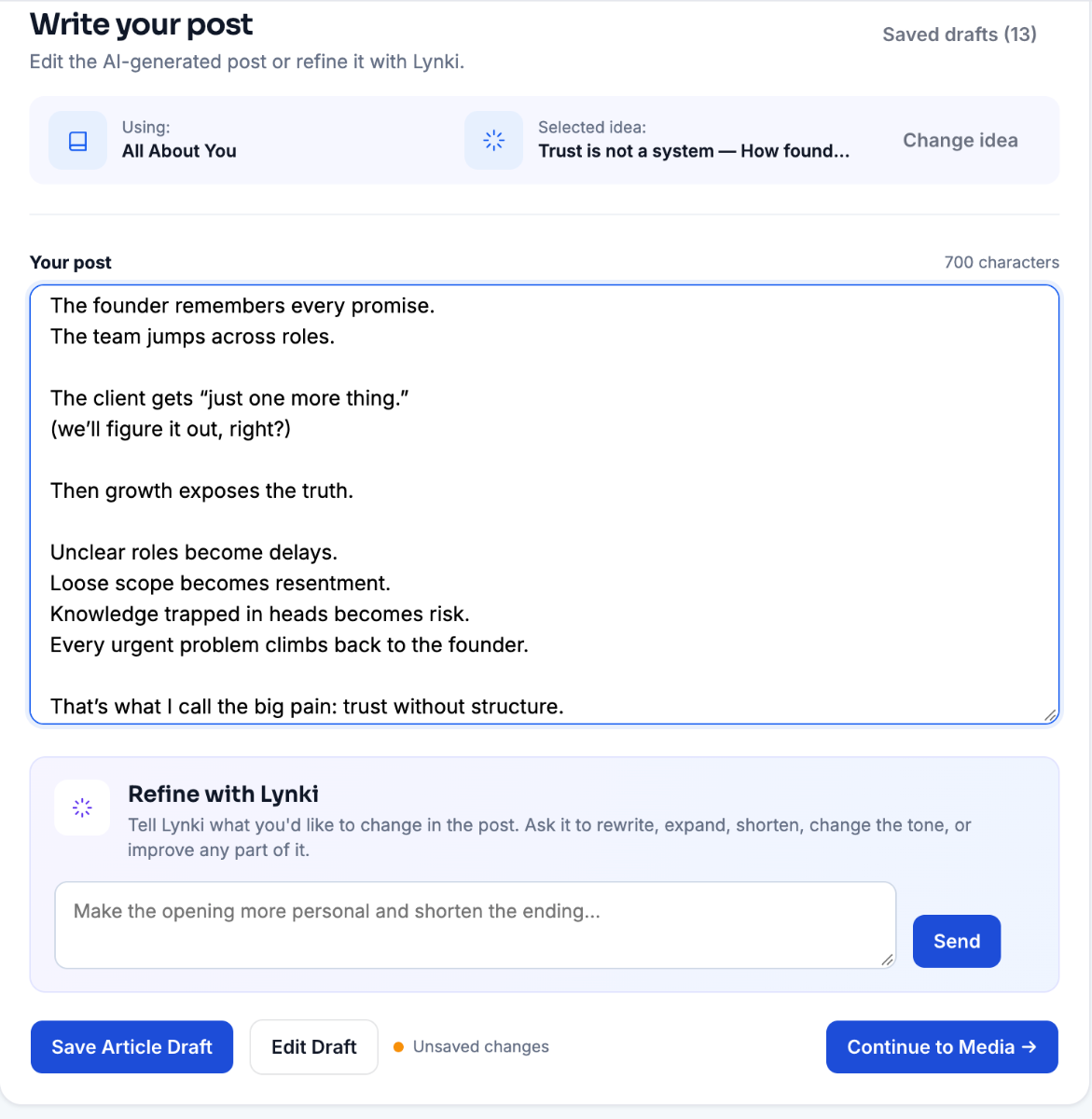
Lynki writes a complete draft from the angle you chose. Edit every line yourself, or ask for a shorter, warmer or more structured version — the words stay yours.
- Full draft
- Refine tone
- Edit every line
- The angle stays in viewThe knowledge source and the selected idea sit above the draft, so the post never drifts away from the point.
- Edit every lineThe draft is a normal text field. Rewrite any sentence yourself — nothing is locked.
- Refine by sentenceAsk for shorter, warmer or more direct. The structure changes; the facts you gave it do not.
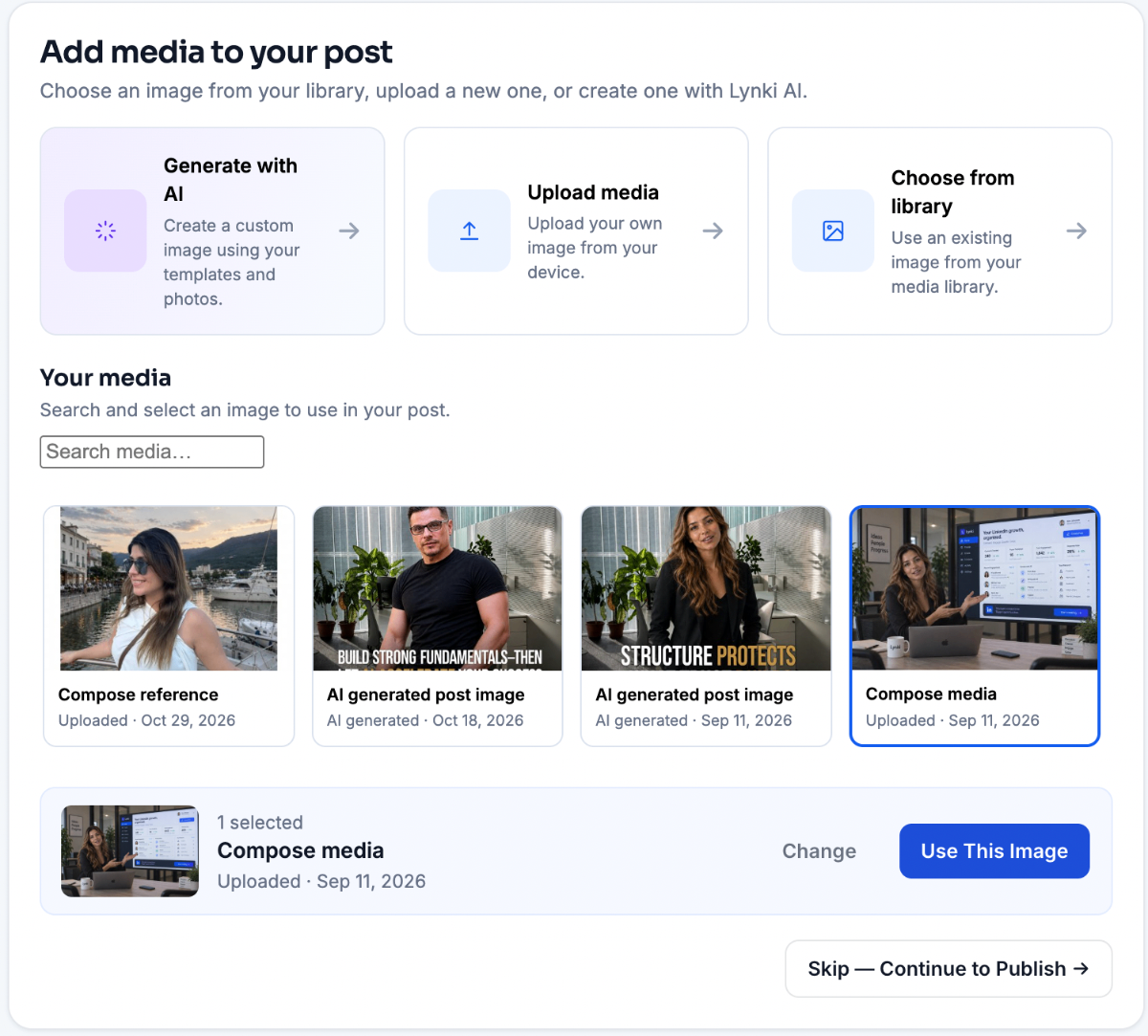
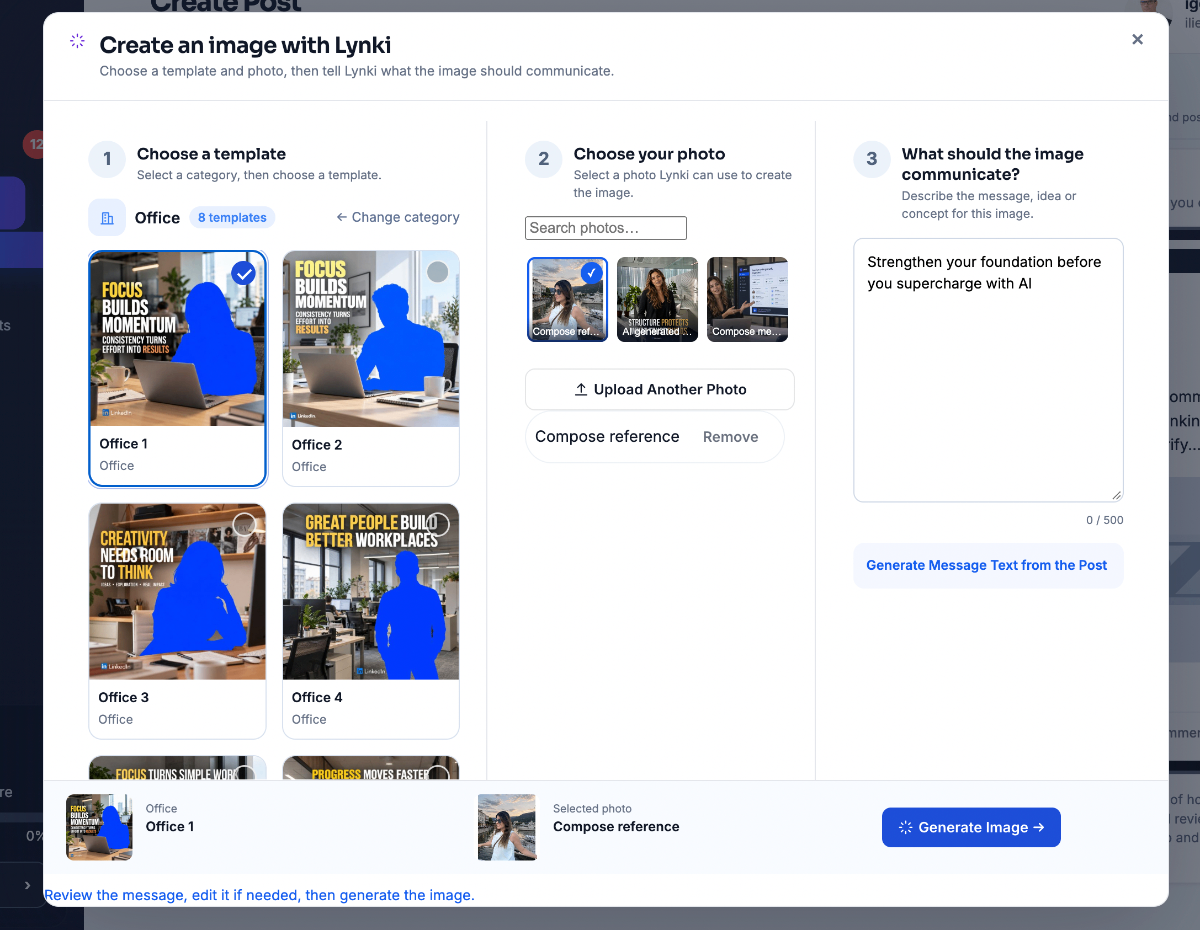
03Create · Media
Create more than text.
Generate an AI image, start from a reference photo, upload your own media or reuse something already in your library. The visual is attached to the post, not floating beside it.
- AI image
- Reference photo
- Media library
- Three routes, one clickGenerate with AI, upload from your device, or pick something you already used before.
- It attaches to the postThe image becomes part of the post itself, not a separate file you have to remember to send.
- Text-only is fine tooSkip the step entirely when the words carry the post on their own.
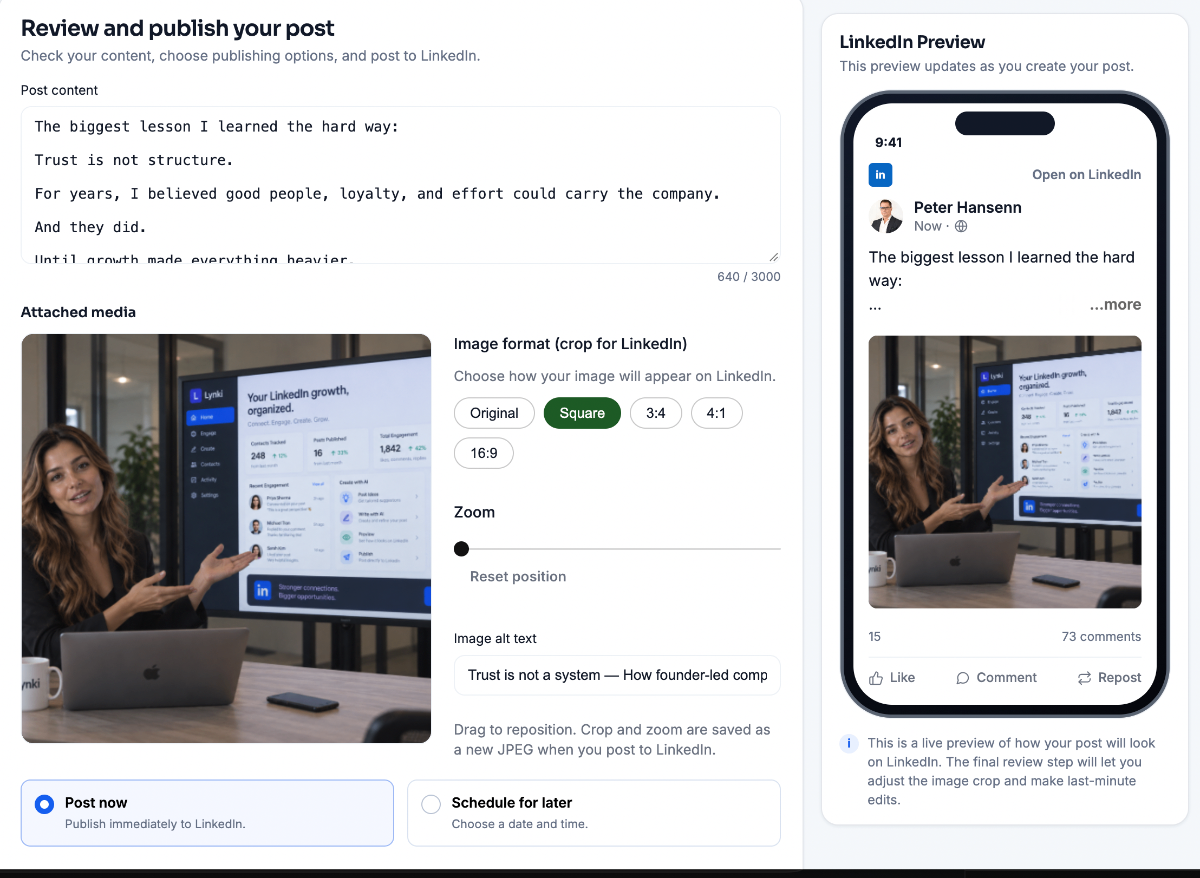
04Create · Publish
See exactly what you're about to share.
Preview the post as followers will see it, adjust the media, then publish now or schedule it for a better time. Nothing leaves the workspace until you approve it.
- Preview
- Media
- Publish or schedule
- See it as a followerA live LinkedIn preview updates as you change the words, the image or the crop.
- Finish the imagePick the format, zoom and reposition, then add alt text so the post is readable to everyone.
- Nothing goes out alonePublish immediately or choose a day and time. The post only leaves once you approve it.
Before you click
These are demos, and they say so.
Three things worth knowing before you start clicking, so nothing here is mistaken for live behaviour on your own account.
- Real interface, sample dataEvery screen here is the actual product. The names, posts and drafts are samples, because this is not your account — your own data never appears on this page.
- Nothing is connectedThe demos are not wired to LinkedIn or to any Lynki account. Clicking, typing and approving here changes a button on this page and nothing else.
- Nothing publishes on its ownIn the product the approval step is the same one you see in these panels. It is the only action that puts anything in front of anyone.
The only thing left is to try it on your own network.
Start free with 300 AI credits a month, keep a human on every post and comment, and find out whether the workflow fits the way you actually work.