Create
Turn what you know into content worth publishing.
Go from an idea to a complete LinkedIn post — writing, visuals, preview and publishing — in one workflow.
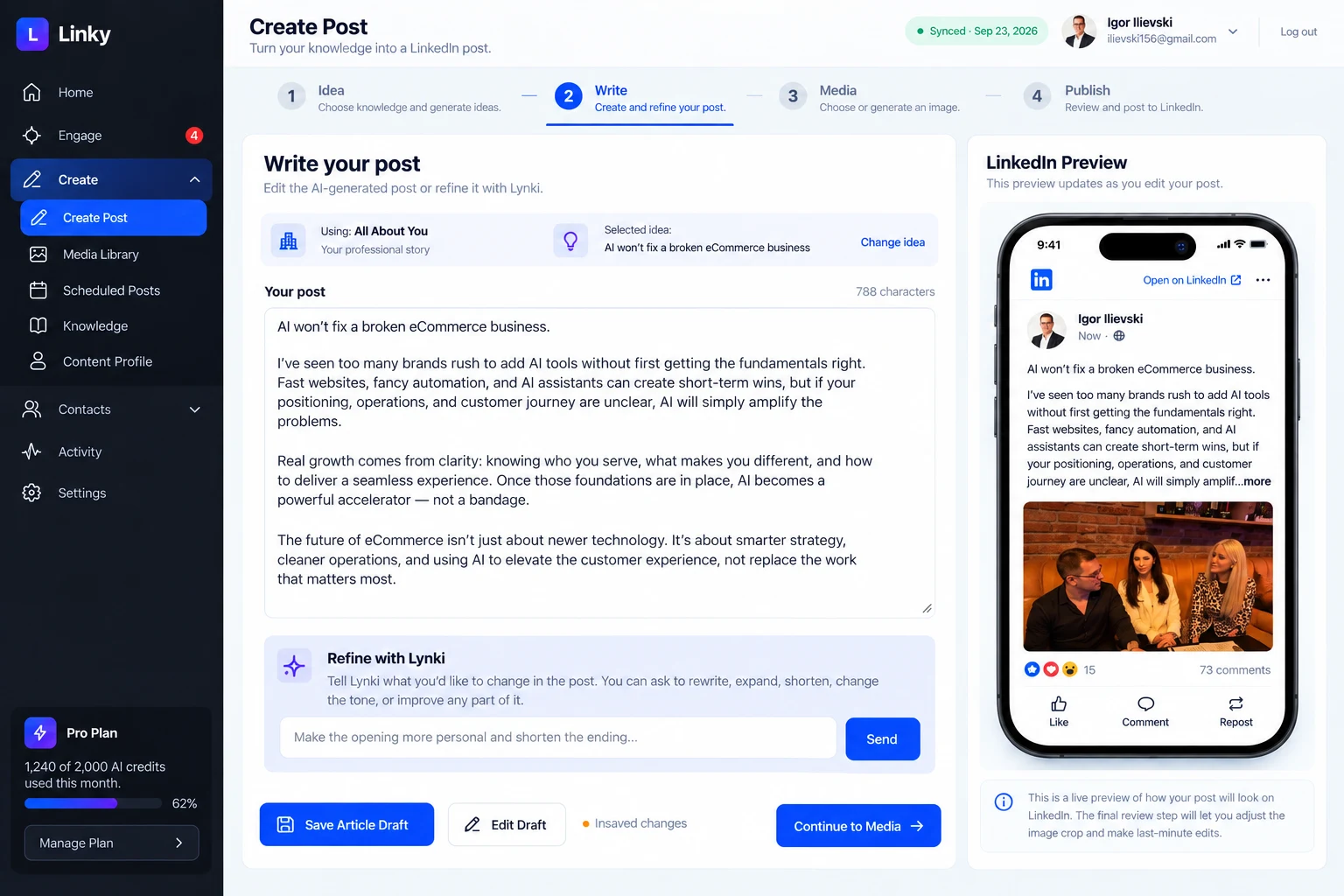
Create · knowledge, ideas and the draft in one workspace Sample data
01Four moves
One workspace, four moves.
Idea, write, visual, publish. Switch between the four states below — it is the same workspace each time, not four different screens.
01Create · Ideas
Never start from a blank page.
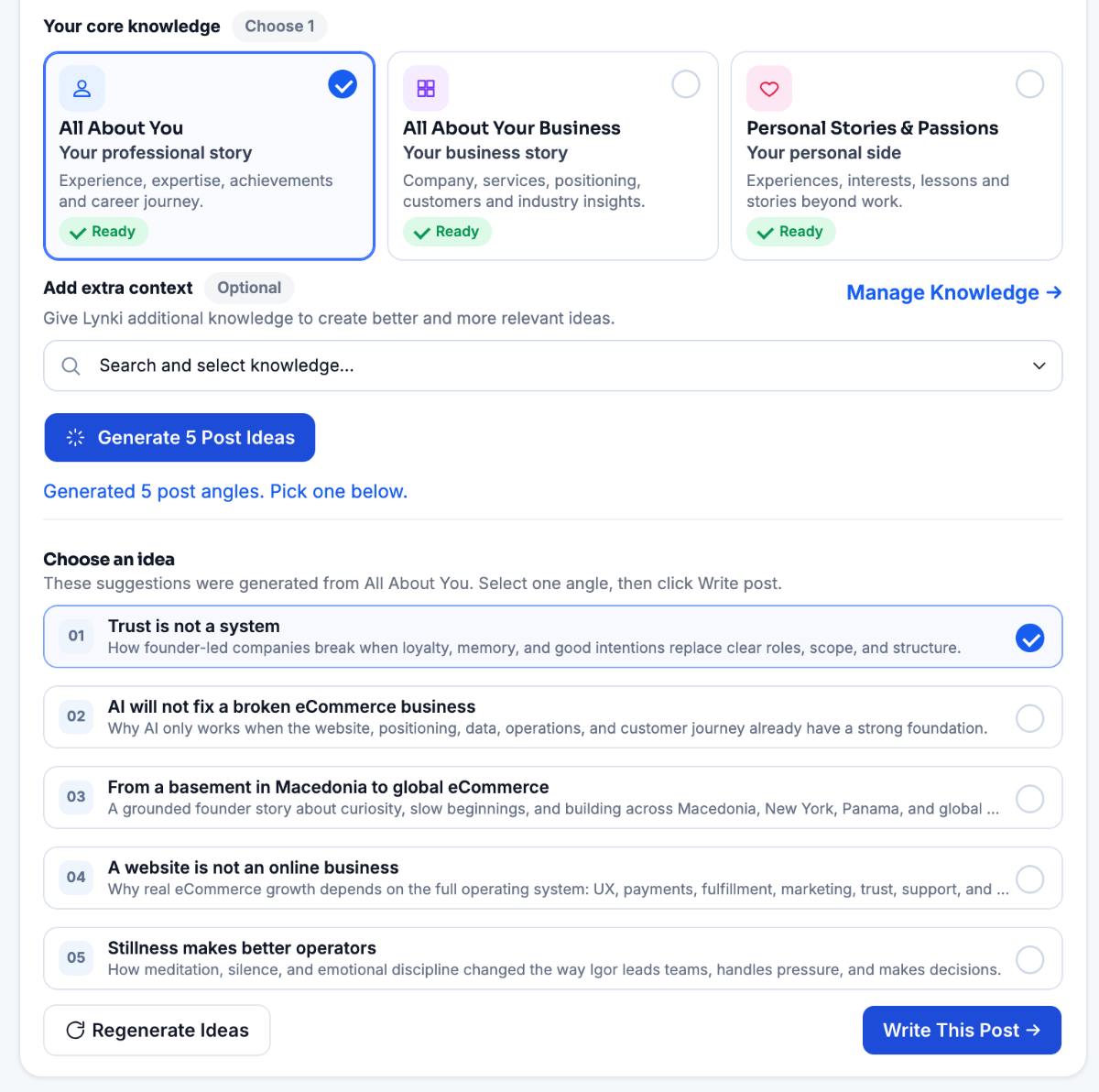
Ideas are generated from your own knowledge — your background, your business, your stories and anything you add yourself. Not a generic prompt library, and not someone else's post rewritten.
- Your knowledge
- Generate ideas
- Pick an angle
- Pick what it writes fromAll About You, your business, or your personal stories — each one marked Ready once it is filled in.
- Five angles in one goGenerate a batch of angles, then keep the one that sounds most like you instead of settling for the first.
- Context stays optionalAdd a framework or a note only when the post needs it. Everything else comes from what you already added.
02Create · Draft
Turn an idea into a credible post.
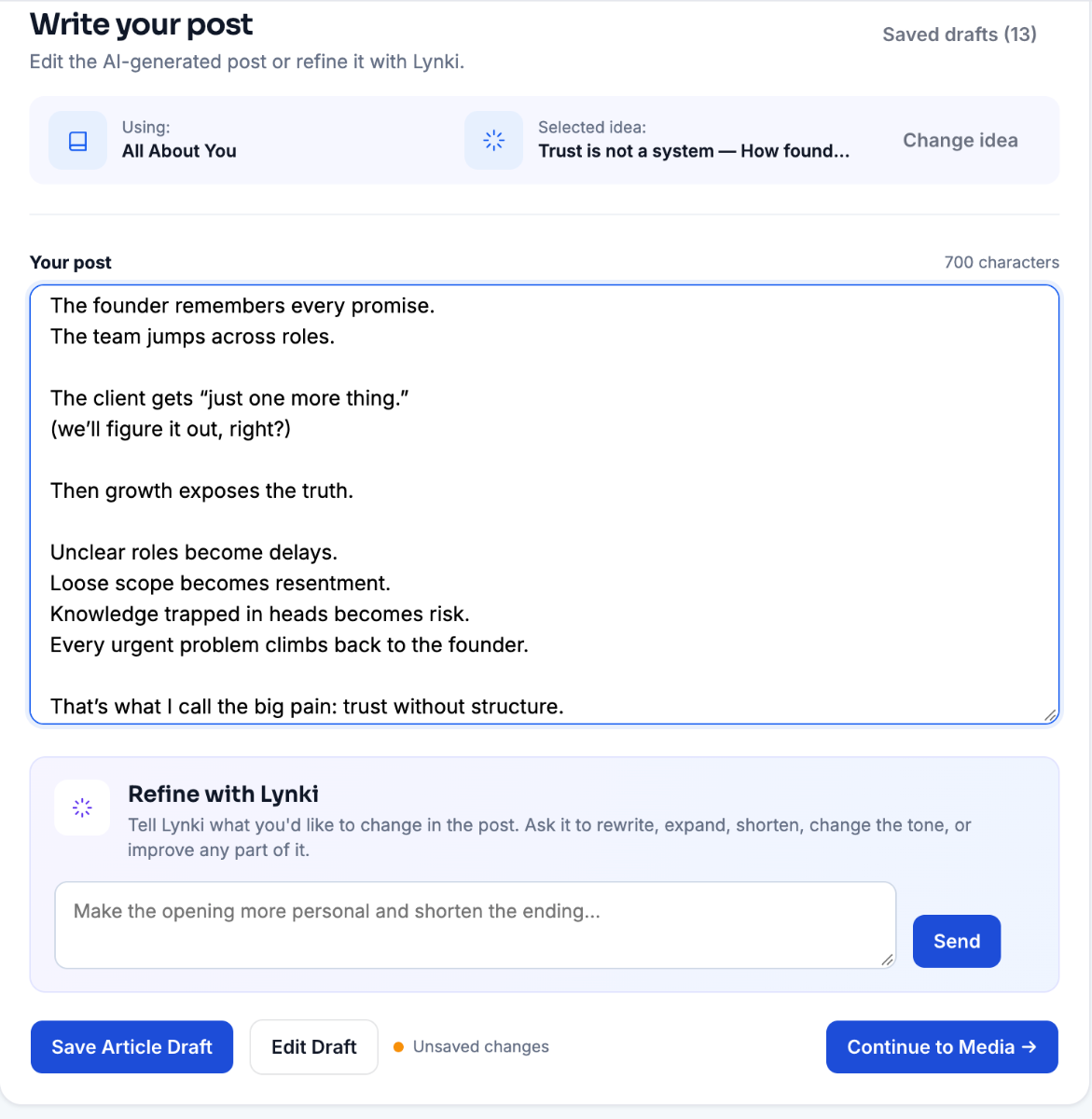
Lynki writes a complete draft from the angle you chose. Edit every line yourself, or ask for a shorter, warmer or more structured version — the words stay yours.
- Full draft
- Refine tone
- Edit every line
- The angle stays in viewThe knowledge source and the selected idea sit above the draft, so the post never drifts away from the point.
- Edit every lineThe draft is a normal text field. Rewrite any sentence yourself — nothing is locked.
- Refine by sentenceAsk for shorter, warmer or more direct. The structure changes; the facts you gave it do not.
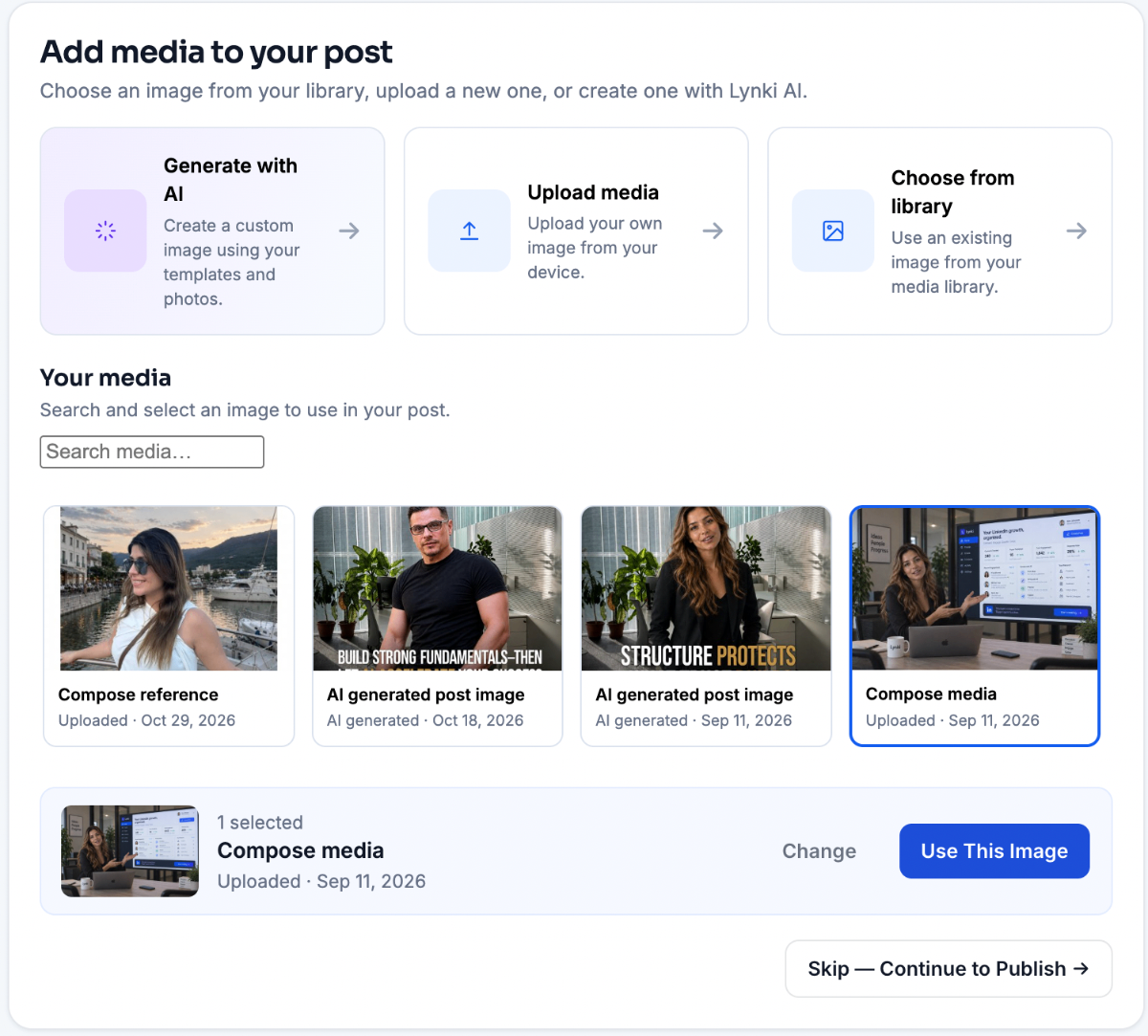
03Create · Media
Create more than text.
Generate an AI image, start from a reference photo, upload your own media or reuse something already in your library. The visual is attached to the post, not floating beside it.
- AI image
- Reference photo
- Media library
- Three routes, one clickGenerate with AI, upload from your device, or pick something you already used before.
- It attaches to the postThe image becomes part of the post itself, not a separate file you have to remember to send.
- Text-only is fine tooSkip the step entirely when the words carry the post on their own.
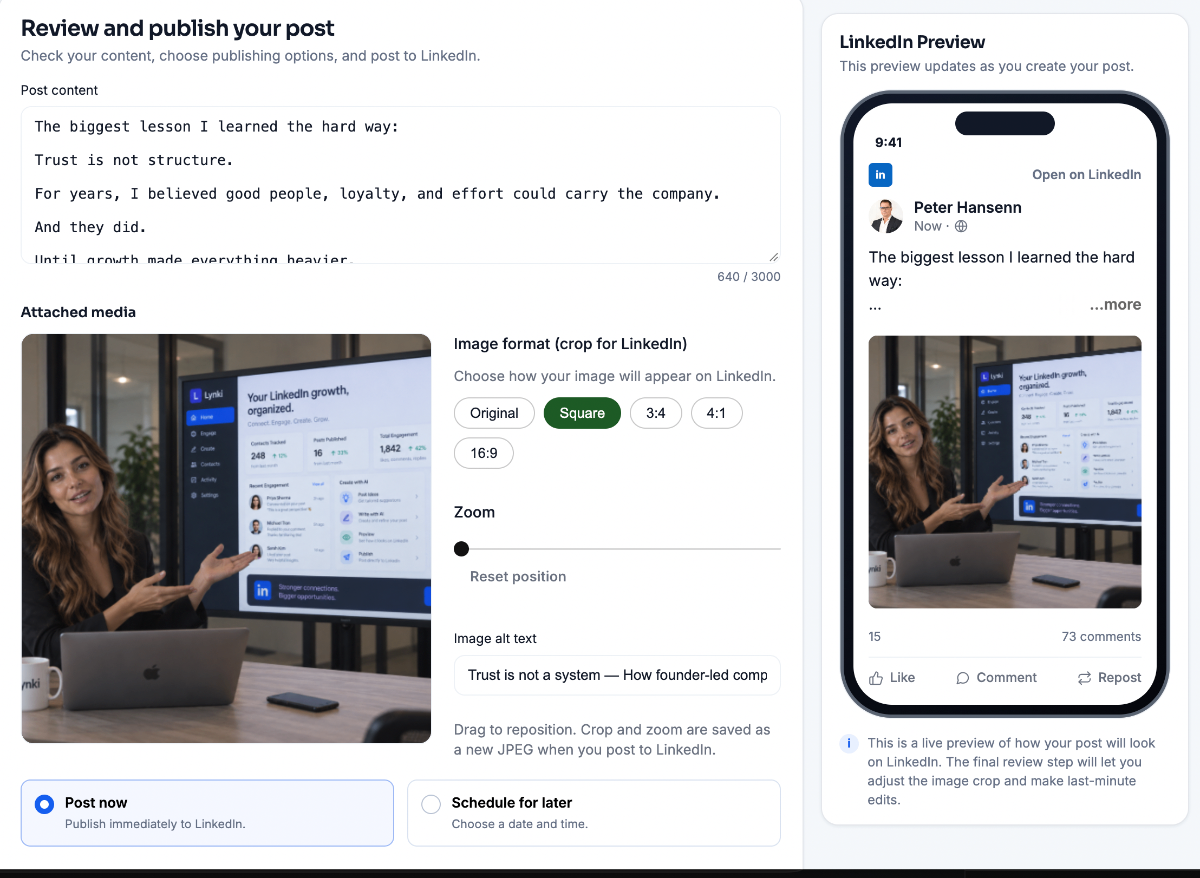
04Create · Publish
See exactly what you're about to share.
Preview the post as followers will see it, adjust the media, then publish now or schedule it for a better time. Nothing leaves the workspace until you approve it.
- Preview
- Media
- Publish or schedule
- See it as a followerA live LinkedIn preview updates as you change the words, the image or the crop.
- Finish the imagePick the format, zoom and reposition, then add alt text so the post is readable to everyone.
- Nothing goes out alonePublish immediately or choose a day and time. The post only leaves once you approve it.
01/Idea · illustrative workspace with sample data
02Knowledge
Give Lynki something real to work from.
Your content can draw from four sources. You choose what goes in, and you can change or remove any of it at any time.
- 01
All about you
Your background, expertise and positioning — the part that makes a post sound like you rather than like a template.
15 years in retail and DTC operations
- 02
Your business
What you do, who you help and the value you create. This is what keeps the writing specific instead of motivational.
Advisory for founder-led commerce brands
- 03
Stories & passions
Experiences and perspectives that only you can bring. The detail that makes a post worth reading to the end.
The onboarding rebuild that changed retention
- 04
Custom knowledge
Frameworks, methodologies, topics and supporting material you add yourself — your own reference library.
Notes from 40 founder conversations
Lynki writes only from what you add here. It does not infer your expertise, and it does not reuse another member’s content.
03Ideas
Never start from a blank page.
Lynki proposes angles based on your actual knowledge — not a generic prompt library, and not someone else’s post with the names swapped.
Generated ideas
3 of manyDrawn from the four sources above.
Draft preview
Sample data
Most eCommerce brands focus so heavily on acquisition that they overlook the real growth opportunity: the relationships they already have.

Relationships drive repeat growth.
12012 comments6 reposts
LikeCommentApproved by you
Illustrative drafts, built from sample knowledge. Your own draft is the one that changes.
04Visual
Create more than text.
Generate an AI image, use a reference photo, upload your own media or choose something from your library. The visual is attached to the post, not floating beside it.
An image costs 100 AI credits and is only generated when you ask for it.
Finished photo
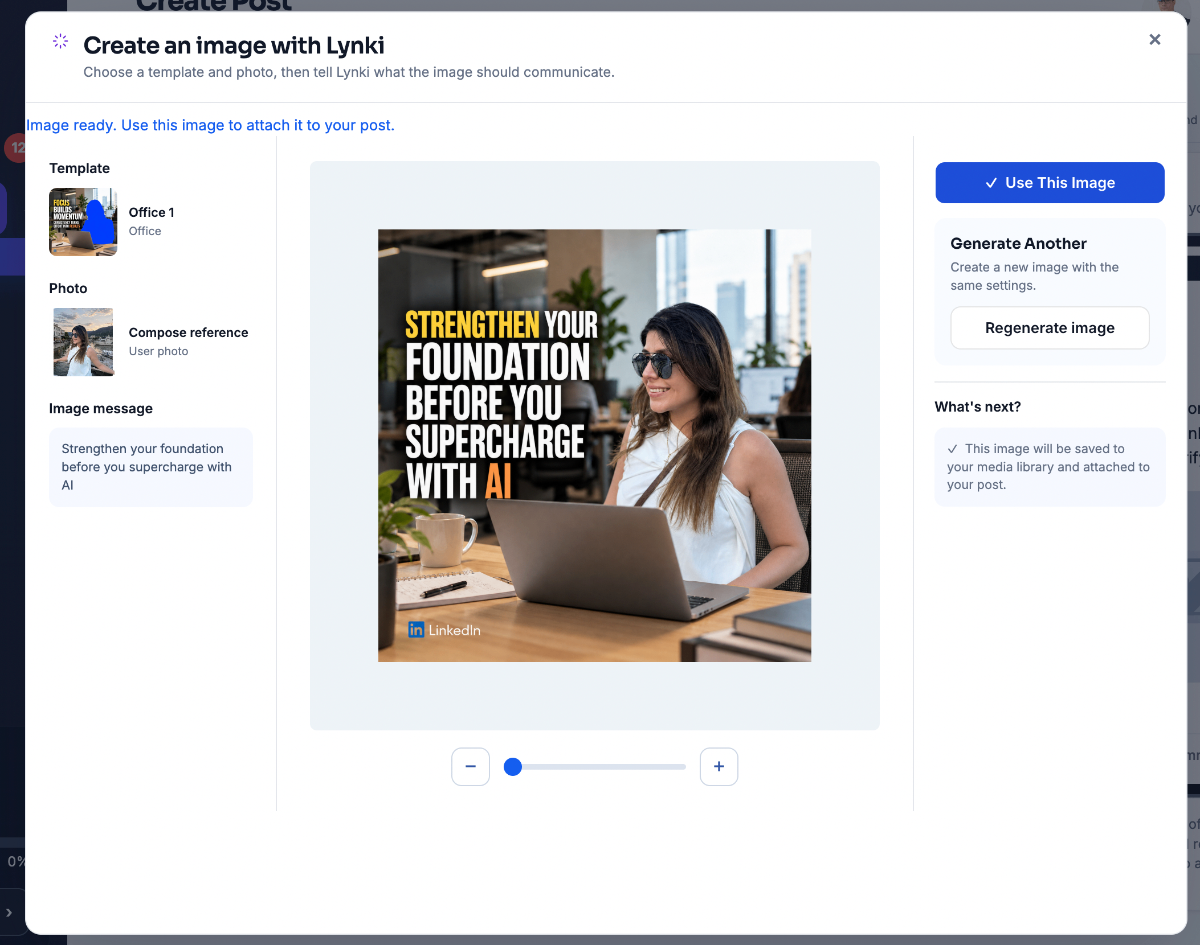
Image ready1200 × 1200
RegenerateApproved by you
Saved to your media library and attached to the post. Nothing publishes on its own.
05Publish
Publish now, or at a better time.
Preview the post as followers will see it, adjust the media, then publish immediately or schedule it. Nothing leaves the workspace until you approve it.
- Nothing publishes on its ownA draft is a draft until you approve it. Close the tab and nothing goes anywhere.
- Schedule instead of rushingPick a day and a time, or publish immediately — the post is identical either way.
- Your knowledge stays yoursWhat you add to Knowledge is used to write, and never turned into someone else's content.
- PreviewMatches the published view
- Media1 image attached
- AudiencePublic
- TimingImmediately
Illustrative panel — this page does not publish anything.
Try the controls — this page is illustrative and publishes nothing.
Your expertise stays yours. Lynki helps you turn it into consistent visibility.
Write from what you already know, shape the words yourself, and publish when you are ready — nothing goes out without your approval.